Two facts: there’s no such thing as SEO without keywords, and a page dedicated to a specific topic (all else being equal) stands a better chance of ranking. But how do you decide which keywords should sit together and which shouldn’t? Well, that’s what keyword clustering is…
A keyword cluster is a semantic keyword grouping, or in other words, a topically-related list of words and phrases. It’s the next step up in complexity from a simple list of the keywords you want to rank for. You cluster keywords manually by deciding on the clusters your site will need to cover, coming up with your own keyword ideas, doing keyword research with Semrush or Ahrefs, and deciding on a core keyword each cluster will be based around. You can also ask an LLM to do it for you, or use a dedicated keyword clustering tool like Keyword Cupid, particularly if you’re working with hundreds or even thousands of keywords (not unusual for larger sites).
If you’re still confused, read the post below and we’ll explain clustering in more detail with examples, plus run you step by step through how to manually cluster your own keyword list.
Keyword clustering examples
The best way to explain keyword clustering is with an example. Let’s say you’re doing some keyword research for your family law firm. Your website is old and outdated, and whoever originally did the SEO didn’t fill the site out with lots of different landing pages; instead, they tried to get the homepage to rank for everything. These were all the keywords they targeted:
- how much does a prenup cost
- child arrangements order
- common law marriage UK
- divorce solicitor
- sole custody vs joint custody
- postnuptial agreement
- how long does a divorce take
- cohabitation agreement
- grandparents rights to see grandchildren
- are prenups legally binding UK
- no fault divorce
- unmarried couples property rights
- child custody lawyer
- prenup for business owners
- cost of divorce UK
- living together agreement template
- how is custody decided
- prenuptial agreement solicitor
- cohabiting partner rights when separating
- how to file for divorce
Well, in a more sensible SEO campaign, you would take this list of keywords and cluster it, then build a landing page for each of the following clusters:
Divorce
- divorce solicitor
- how to file for divorce
- how long does a divorce take
- cost of divorce UK
- no fault divorce
Custody
- child custody lawyer
- child arrangements order
- how is custody decided
- sole custody vs joint custody
- grandparents rights to see grandchildren
Prenup
- prenuptial agreement solicitor
- are prenups legally binding UK
- how much does a prenup cost
- postnuptial agreement
- prenup for business owners
Cohabitation
- cohabitation agreement
- unmarried couples property rights
- common law marriage UK
- cohabiting partner rights when separating
- living together agreement template
And if you want another example, maybe you can have a peek behind the curtain? This is an excerpt from our content plan for this site:
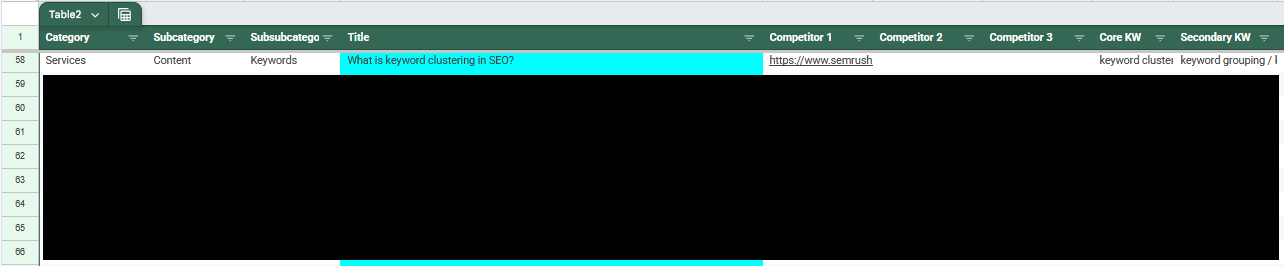
And these are the keywords we’re targeting:
keyword clustering / keyword grouping / keyword clustering tool / how to cluster keywords with keyword cupid / how to group keywords / cluster keyword / group keywords / keyword clustering seo / topic clusters vs keywords / best keyword clustering tool / semantic keyword grouping / keyword segmentation / keyword clustering examples
Fingers crossed you found us through searching for one of these keywords!
How to cluster keywords for free, step by step
Now that you know what a keyword cluster is, let’s learn how to actually make one.
Step 1: Decide on a scope for your site
First things first, you need a scope. You need to have a hard answer for what your service offerings are and what they aren’t, what locations you want to serve and which you don’t. This can change in the future, of course, but keyword research takes time and effort to do right, so if you bite off more than you need to eat, you’re giving yourself more work for no reason. If you’re a small business owner, you know better than anyone what this scope is, so decide it now.
In practice, you should make a Google Sheet or an Excel spreadsheet and make a list of all the pages you want on your site. Start with your homepage and add individual landing pages for all of your service offerings, locations, and so on. These will be your clusters.
Step 2: Create a list of keyword ideas
Now you start populating the sheet, and the next things you need to add are your keyword ideas. These are things you can think of, just off the top of your head, that your potential customers might be searching. Again, you’re the best person to do this because you know your business better than anybody (and definitely better than ChatGPT or Claude do). You don’t need to go into too much depth; just obvious ones like “divorce solicitor near me” for a family law firm, for example. Go through your service offerings and locations one by one adding maybe five for each.
Step 3: Get a list of real keywords based on your ideas
That list of keyword ideas isn’t quite good enough on its own. You need real, hard data — not least because that’s what your competitors are working with, so you should too.
Decide on a keyword research tool: Ahrefs, Semrush, Mangools, KW Finder, whatever you prefer. Some have free trials, others are more data-heavy, and others have more complete data. We would recommend Semrush for a beginner that cares about good data. We’re going to use Semrush as an example, so if you’d like to follow along, head to their Keyword Magic Tool:
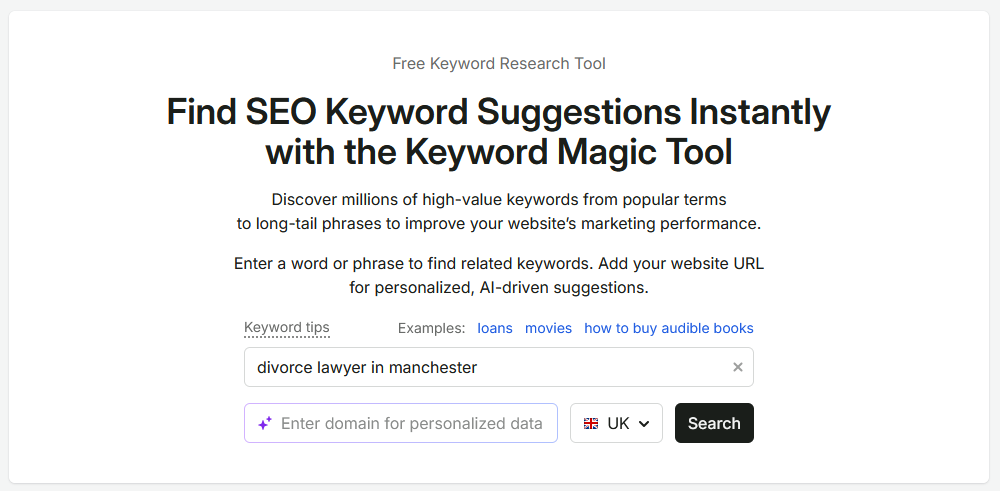
Search for your first keyword idea. Here, we’ve searched for “divorce lawyer in Manchester”. This is what it shows you.
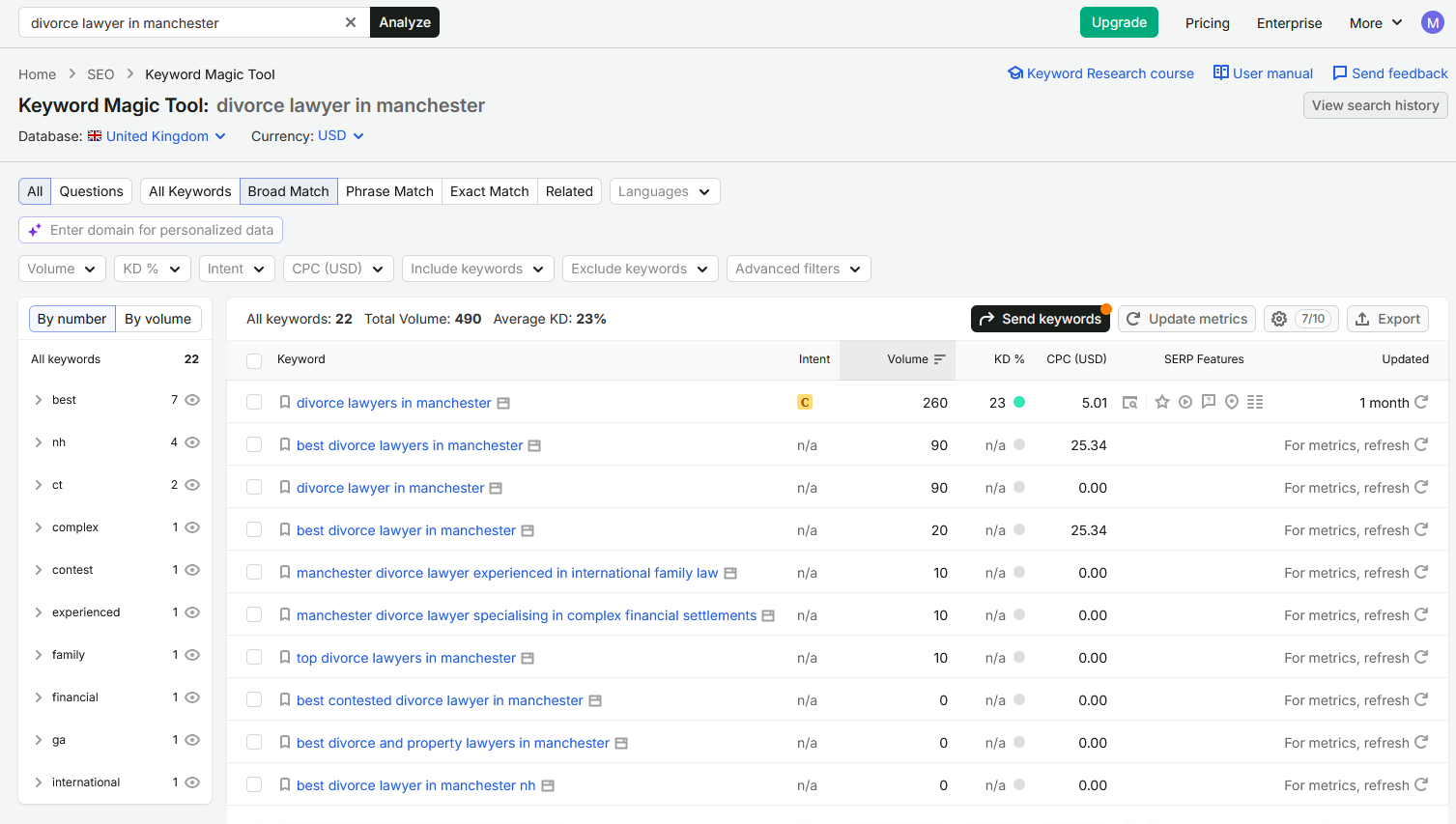
A couple of interesting observations right off the bat. First, “divorce lawyer in Manchester” gets 90 Google searches a week (you can see that in the Volume column). Another keyword which is almost an exact match — “divorce lawyers in Manchester” — actually gets 260. There’s also good volume for the comparative keyword “best divorce lawyers in Manchester”, plus a few others that you can add to the same cluster.
Now, add another column to your sheet, after your keyword ideas. In that column, add your keywords and their volumes in, like so:
divorce lawyers in manchester (260) / best divorce lawyers in manchester (90) / divorce lawyer in manchester (90) …etc.
Then repeat the process for all of your keyword ideas. By the end, you should have quite a few keywords that belong in each cluster.
Step 4: Decide on a core keyword for each page
Last but not least, you want to decide on a “core keyword”. A core keyword is the most important keyword on a given page; it’s the one you most want to rank for, the one you think will get you the most traffic or the most business.
There are a few ways to decide on the core keyword. You can pick the one with the highest volume. You can pick the one with the lowest “KD%” (keyword difficulty score). You can pick the ones that your most dreaded and hated competitors are ranking for. Or you can just pick one based on vibes. It’s up to you.
With a core keyword decided for each page, and a group of other keywords to use for each page too, congratulations: you’ve got your keyword clusters! You can now use these as the basis of writing content, or for outsourcing content in whatever way you prefer. If you are going to go down the route of using AI for content, you can now at least have it create keyword-optimised content for you, too, which is a step above what a lot of people do (just copy and pasting raw AI slop without reading it).
Bonus step: Tracking your keyword clusters
SEO is absolutely pointless if you’re not tracking what you’re doing, so the “real” last step is to track how your keyword clusters are performing.
You can do this with bog-standard Google Search Console. If you look through the Semrush guide to keyword clustering — and don’t, you have all the information you need here — but if for some reason you did, you’ll see they plug their Position Tracking tool. Fair enough, it’s not a terrible tool. But you can also do it yourself for free, and we’ll show you how.
Start by heading to Google Search Console, specifically to the Performance tab. You’ll see something like this.
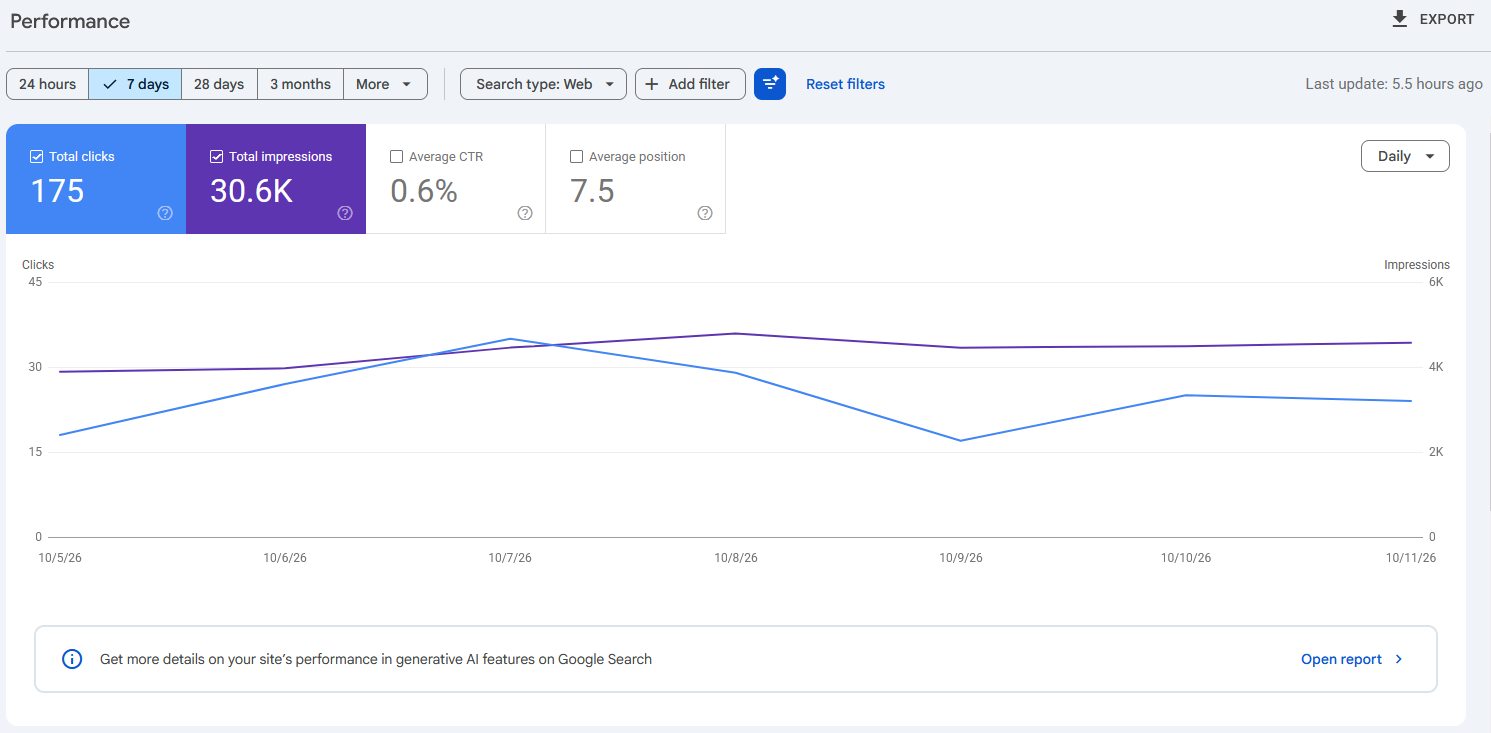
This graph shows you how many clicks and impressions your site got in Google Search in the specified timeframe. If you scroll down, you should see the data sorted by QUERIES — these are all the keywords your site is ranking for.
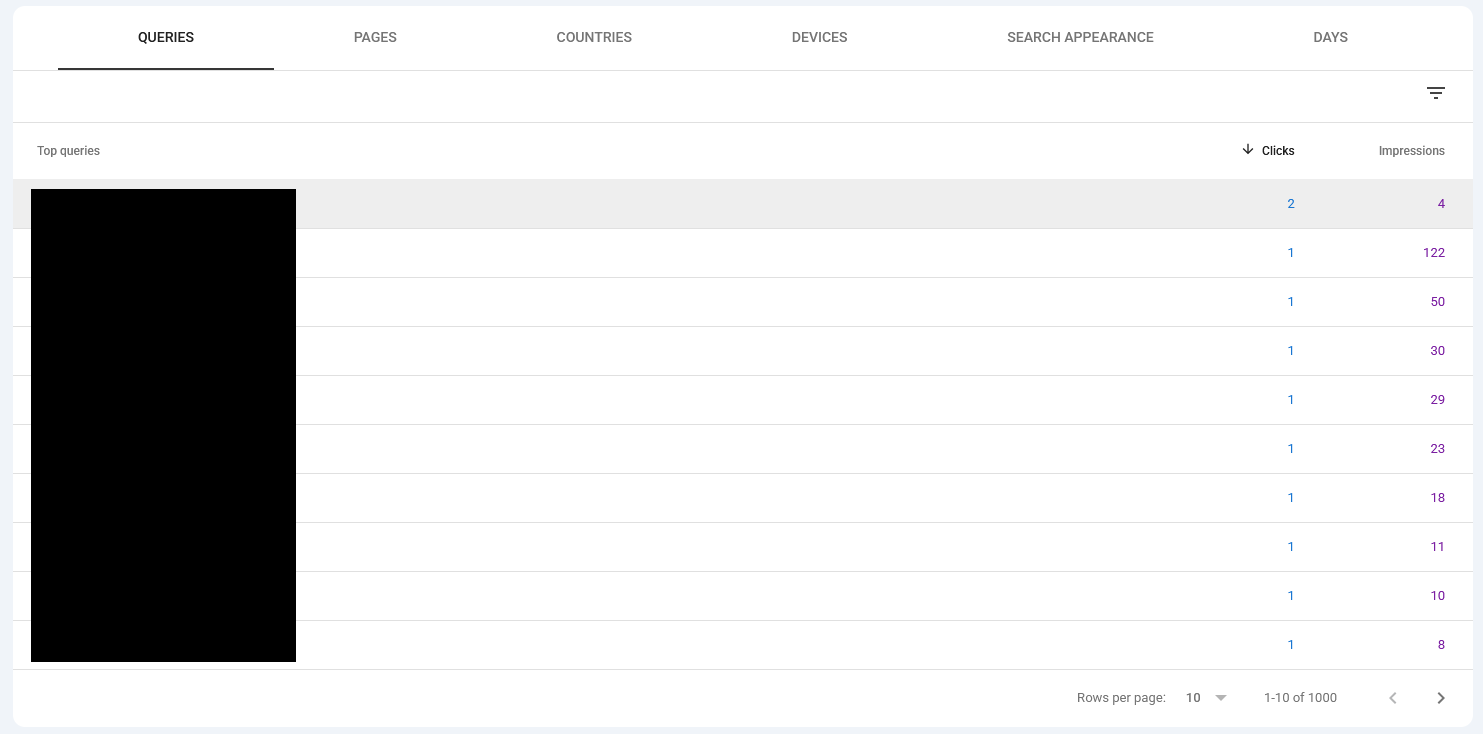
Now — it’s possible to filter all this data to only show you one cluster at a time. Click the “Add filter” button at the top, then “Query”, and you should see something like this. Click on the dropdown menu and choose “Custom (regex)”.
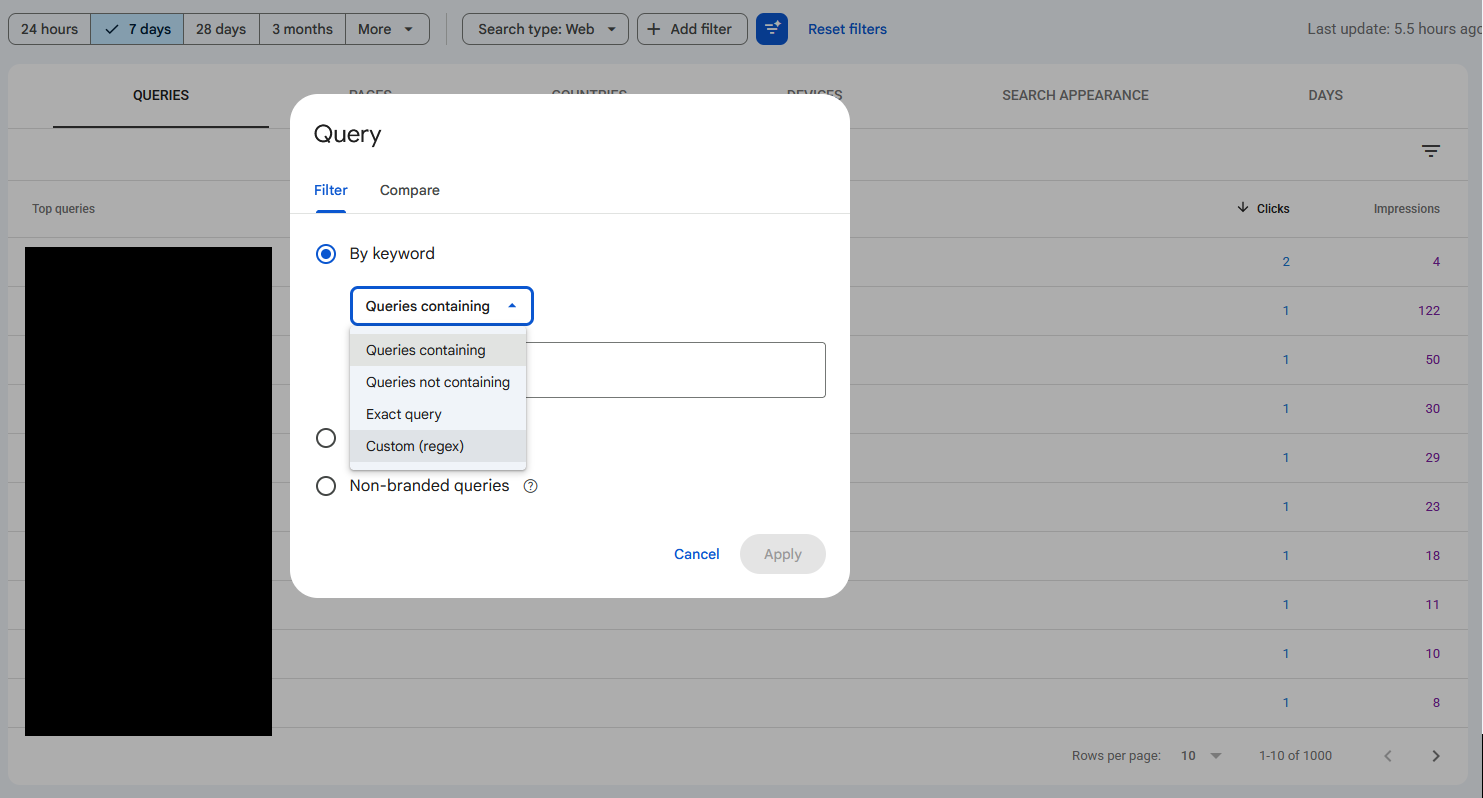
A “regex”, or “regular expression”, is a given sequence of characters that you want to find in a body of text. In this case, the “body of text” is the complete list of keywords; so you could find all the keywords related to Oldham by just using the regex “Oldham”. There’s a lot more you can do with regex, but for now all you need to know is you can create a regular expression that searches for all the keywords in a given cluster all at once.
Let’s go back to the beginning and say that this is one of your keyword clusters:
- divorce solicitor
- how to file for divorce
- how long does a divorce take
- cost of divorce UK
- no fault divorce
Now, you could search for these one by one and add the figures up. Or, you could create the following regex:
^(divorce solicitor|how to file for divorce|how long does a divorce take|cost of divorce uk|no fault divorce)$
Paste this into the box that says “Enter regular expression (regex)” and then Apply. Search Console will show you a graph for specifically that cluster, and that cluster can be for as many keywords as you want it to be. This is how SEOs get Search Console graphs for branded and non-branded traffic; these days, Search Console says that it can figure it for you, but it’s rubbish, so it can’t.
Anyway, with that done, you can take a look at how well each cluster performed with data going back 16 months. So if you’d like to know how well you’re doing for a particular cluster, now you can!
Other ways to cluster keywords
This isn’t the only way to cluster keywords. There’s more than one way to get anything done, after all!
How to copy your competitor’s keywords
Our method above works from the ground up: you start from basic clusters, i.e. your service offerings and locations, and work outwards from there with real data. But it’s also possible to work backwards, i.e. from data to clusters.
The best way of doing this is to pick a competitor. We would recommend a competitor that’s halfway between where you are and where you want to be — and we mean specifically in terms of rankings, not offerings or takings or some other metric. Here, let’s take the example of Stowe Family Law on Semrush:
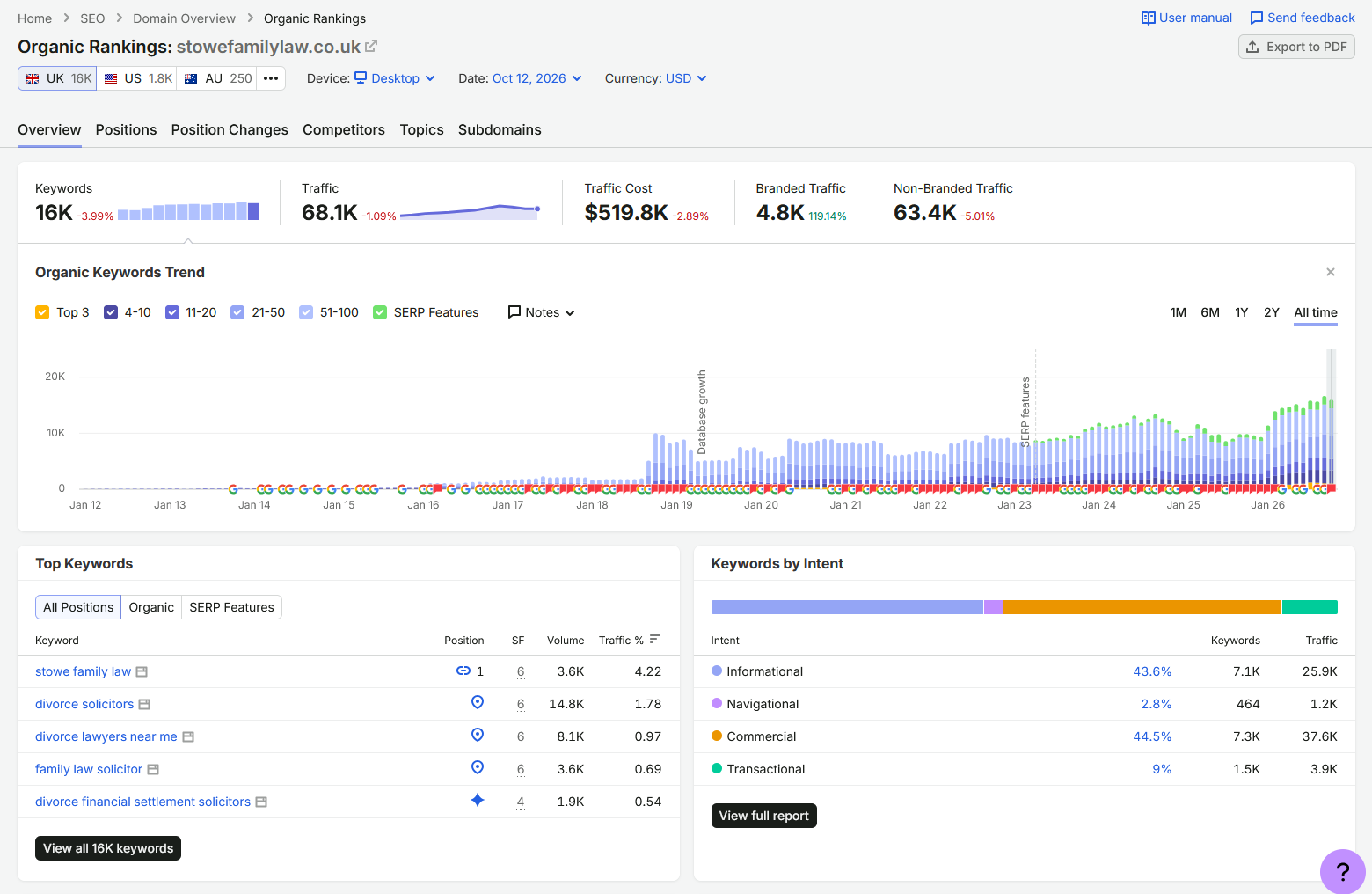
If you have the paid version of Semrush or a similar tool, look at all their organic rankings (which you could do above by clicking on “View all 16K keywords”). Download them all in your format of choice. Then, work backwards, putting them into clusters. As you can imagine, this would be a lot of work, and there are ways to do it faster! But this is a valid method.
How to use AI to cluster keywords
Another option you have is to use AI, and admittedly, this isn’t one of the worst uses of an LLM. That being said, you should approach using AI a certain way rather than just hoping it does what you want instantly.
- Don’t do actual keyword research with an LLM. If you ask an AI tool “what keywords are relevant to my business”, it doesn’t do any actual research. It just makes up a likely answer. Some of those answers will probably be fine, but lots won’t be. You can actually test this yourself by putting what it gives you through a tool like Semrush: lots of its suggestions will get zero volume, and it will miss keywords that get lots of volume. So, all that being said, you still need to do your own keyword research.
- Don’t have the LLM come up with clusters. Or, if you do, at least have a hand in curating the process. How broad or narrow the connection between keywords in a cluster can be is a decision you have to actively make, so make it, and then let the LLM do the work of assigning the keywords to your chosen clusters.
- Prime your LLM with information first. Don’t have it go in blind: describe the services you offer. This will give it more insight into where particular keywords belong.
- Go through the keywords in small batches at first. Have it do, say, five at a time. You can then give feedback as it goes, and by the time you’ve given a bunch of feedback, it should be better able to do the rest of the job on its own.
- Review what it gives you. Don’t just accept what it says at face value. You know your business better than an LLM ever possibly could, after all.
That’s how we would use AI to cluster keywords without compromising on quality. If we had to specify a use case, it would be one in which it’s a one-time job — i.e. you don’t have access to a tool like Keyword Cupid that can take care of the clustering process from start to finish — and where you have a high volume of keywords. Otherwise, there are better alternatives (even if you have to use your brain for them!)
How to cluster keywords with Keyword Cupid
Keyword Cupid is a dedicated keyword clustering tool that’s been around for a while now, and like an LLM, it’s a good choice if you’re working with a lot of keywords. The process is easy enough: export keywords in bulk from another tool like Ahrefs, Semrush, or Google Search Console; create a project in Keyword Cupid; upload your keywords and configure your settings; then let it do its work.
How it actually works behind the scenes is pretty smart. Keyword Cupid clusters keywords by searching for them on Google and comparing the results: the more overlap, the closer they’re related. It’s like reverse engineering. You don’t need to know that, but it’s neat.
We’ve used Keyword Cupid before, and it’s good at what it does. But I think LLMs can give you broadly similar results, for free, and with a much lower barrier of entry particularly if you’re newer to SEO. This (in fairness) is something they admit themselves in their footer, where they say “Keyword Cupid is a SERP-based keyword clustering and keyword grouping platform built for SEO professionals, agencies, and content teams who need to cluster keywords by search intent at scale” (emphasis added).
Not sure how to do keyword research, cluster your keywords, or make a content plan for your business? Get in touch and we’ll do it for you!