
This week, AI found a huge cybersecurity issue in all the latest versions of a kind of code that’s very commonly used on the internet. Unfortunately this means you’ll have to make some updates to your site. The facts are as follows…
- PHP is a kind of code, specifically code that allows websites to talk to databases. Login systems, WordPress, pretty much everything uses PHP. According to php.net, every PHP install that serves web requests is at risk, including PHP-FPM, Apache with mod_php, php-cgi, FrankenPHP and LiteSpeed (basically 70% of the whole internet). Including the Pollinate website! (So yes, I have been busy the last few days).
- Cyber firms Wiz and Calif found the flaws, nicknamed “php2shell”, in the PHP language itself, and versions released over the last decade are affected. The researchers used advanced AI tools that analyse code and find flaws much faster than humans or older systems.
- Wiz described them as the most severe flaws AI has ever detected. The flaws let attackers run their own code on a server without logging in, and both are rated 9.2 out of 10 for severity. That means hackers could steal data or take over servers entirely.
- Details leaked online, forcing PHP’s developers to rush out the announcement. The Finnish government, Edinburgh council and the BBC took sites and pages offline, and the Netherlands’ cyber security agency pulled its website.
So the stakes are pretty high if you don’t update. The stakes are also pretty high if you do update, because updating PHP wrong breaks your site. So you have to do it right.
How to update PHP
First, log in to your host, e.g. Hostinger or Krystal. Krystal is our host (not a sponsor). Head to cPanel — it should look something like this.
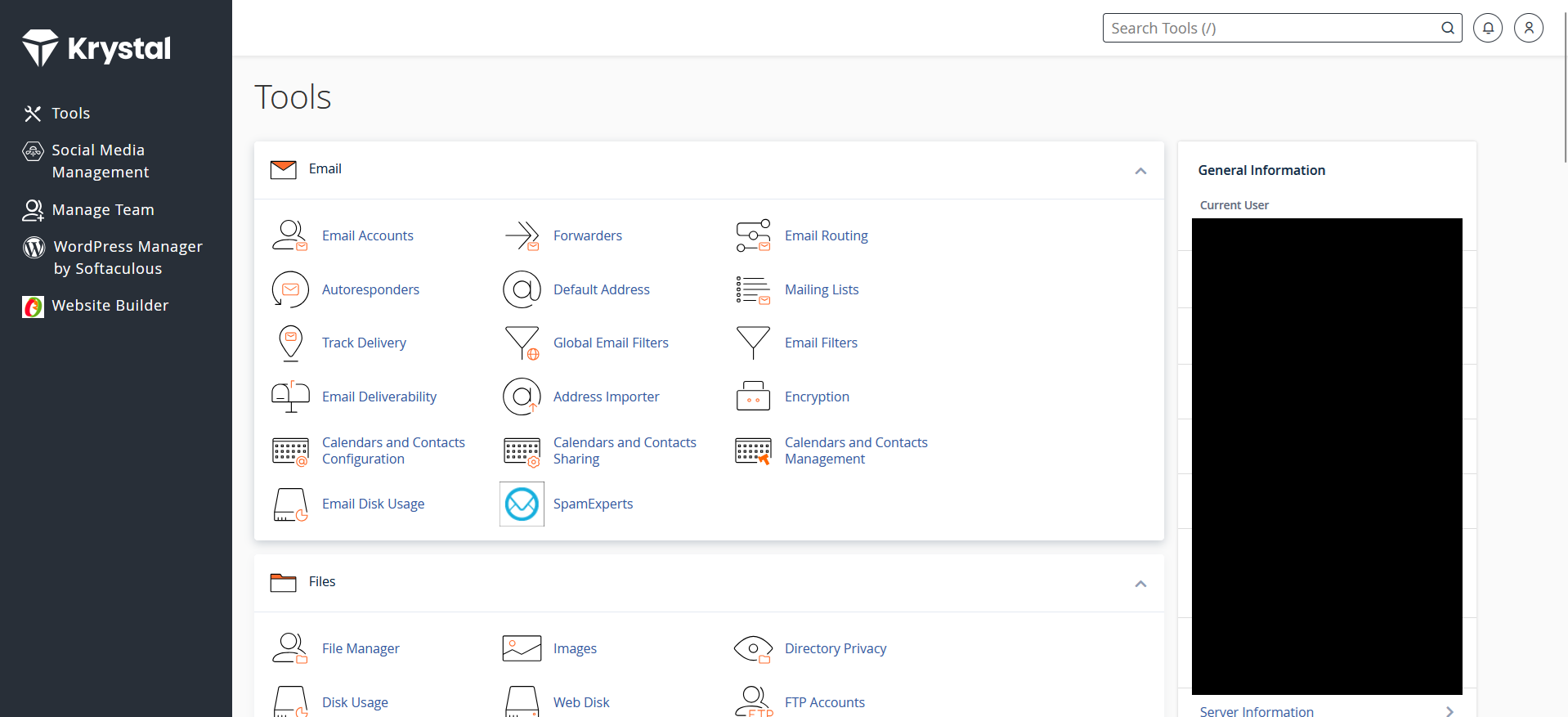
In Krystal, you’re looking for “Select PHP version”.
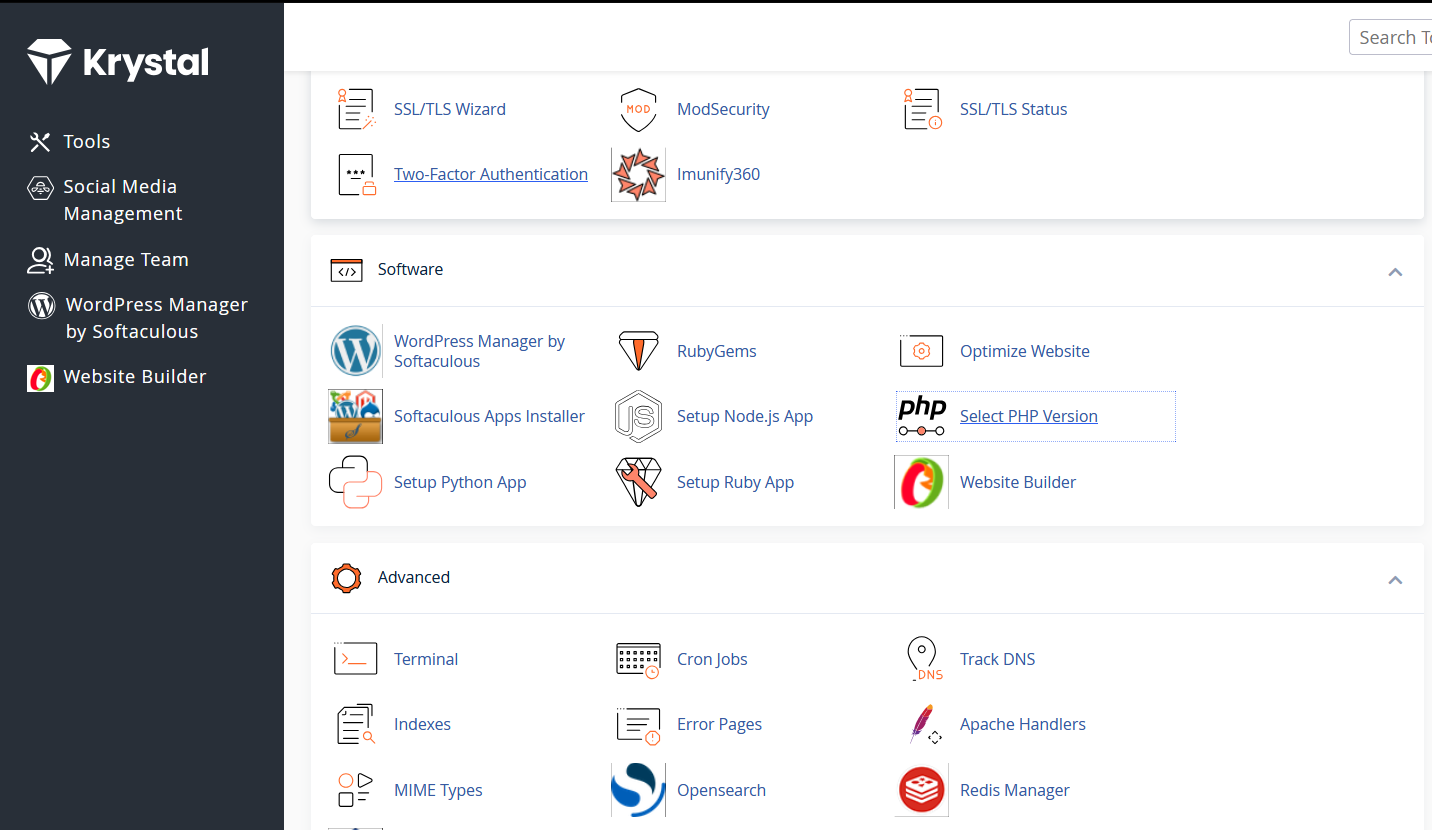
Click through and you’re there. Select the latest version if yours isn’t the latest version already. At the time of writing, 8.1 and earlier are deprecated, and 8.2 is only receiving security updates to the end of 2026.
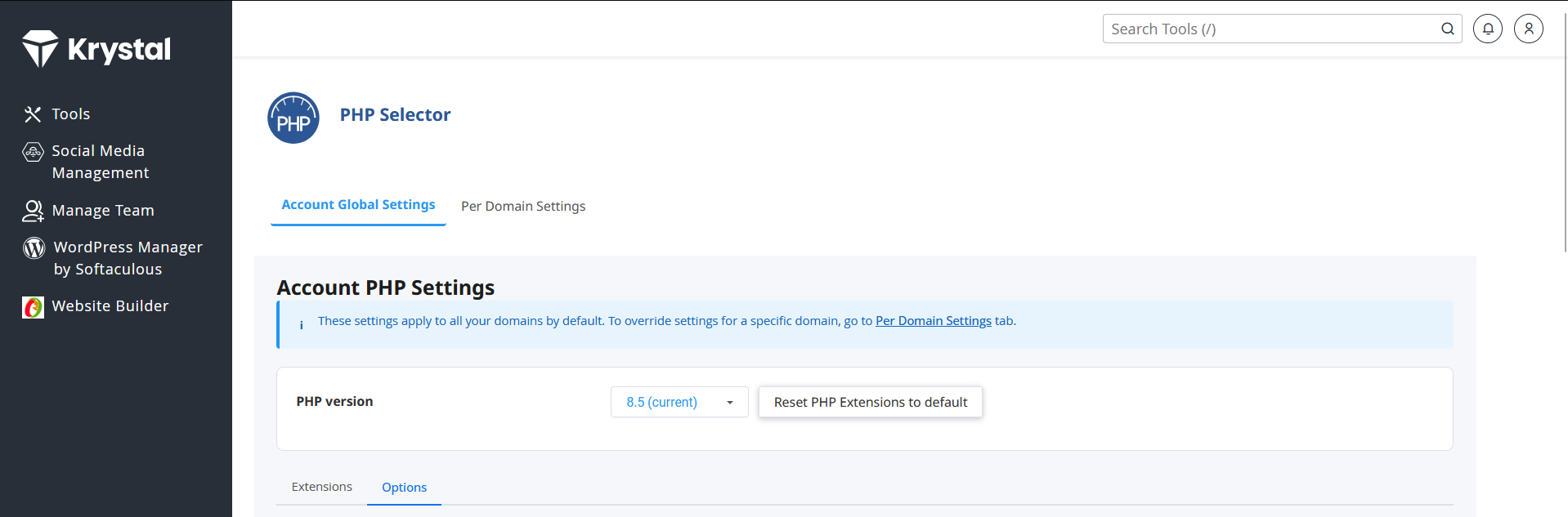
If you’re lucky, the update should go through and everything is fine. Remember to check a fresh uncached version by using a private browser/
If you’re not lucky, something on your site will break. If so, try setting the PHP version to what it was before, and if that doesn’t work, revert to a backup. (Did I forget to say, back up before you do this?)
One of my sites broke and the culprit was a memory issue (as far as I can tell). The new version had a lower memory limit by default, which the site was over, by a mile. So I had to fix that, and then it worked fine. Tons of different things could break as a result of updating your PHP, frankly — so if you’re having issues, get in touch!